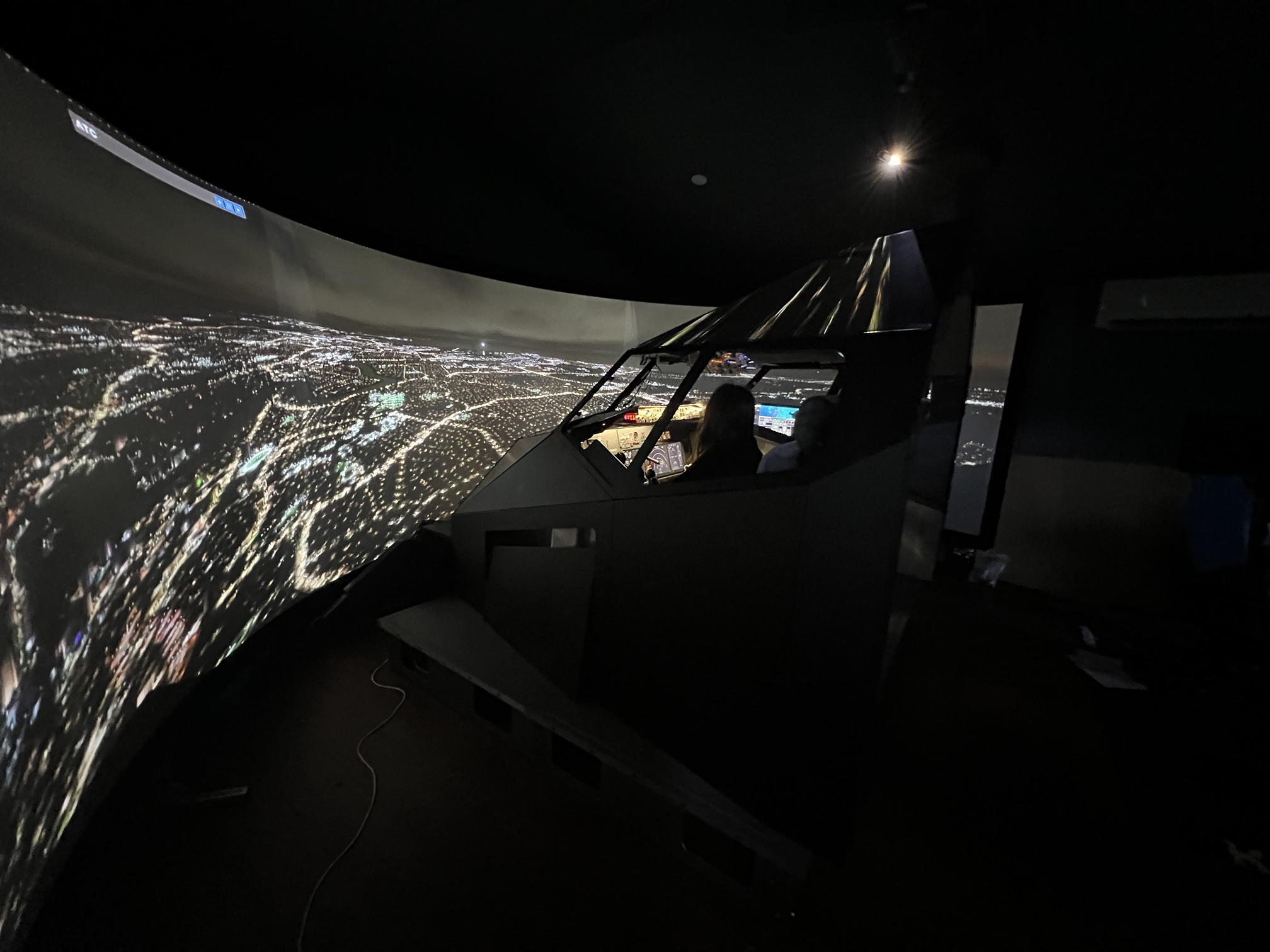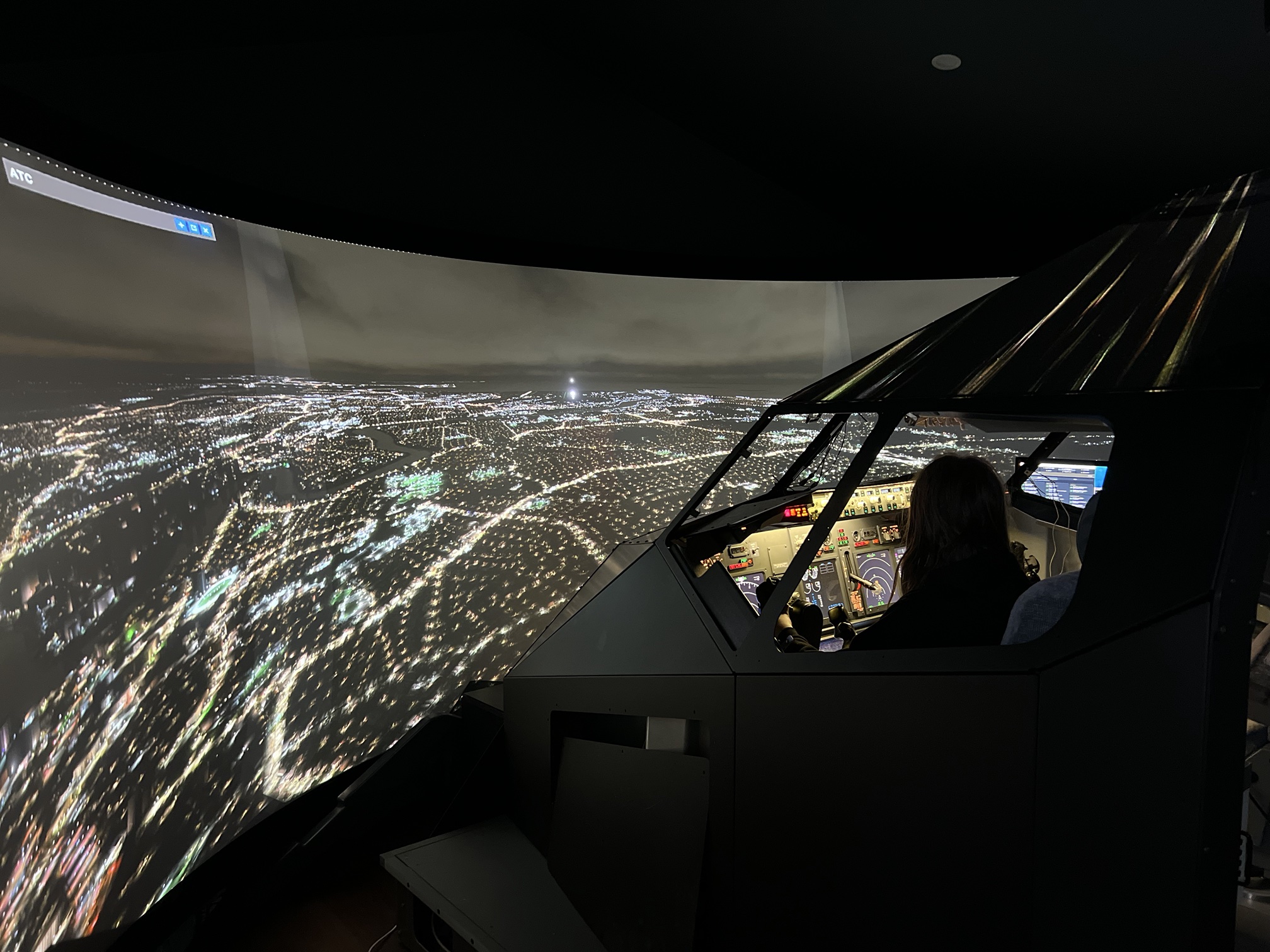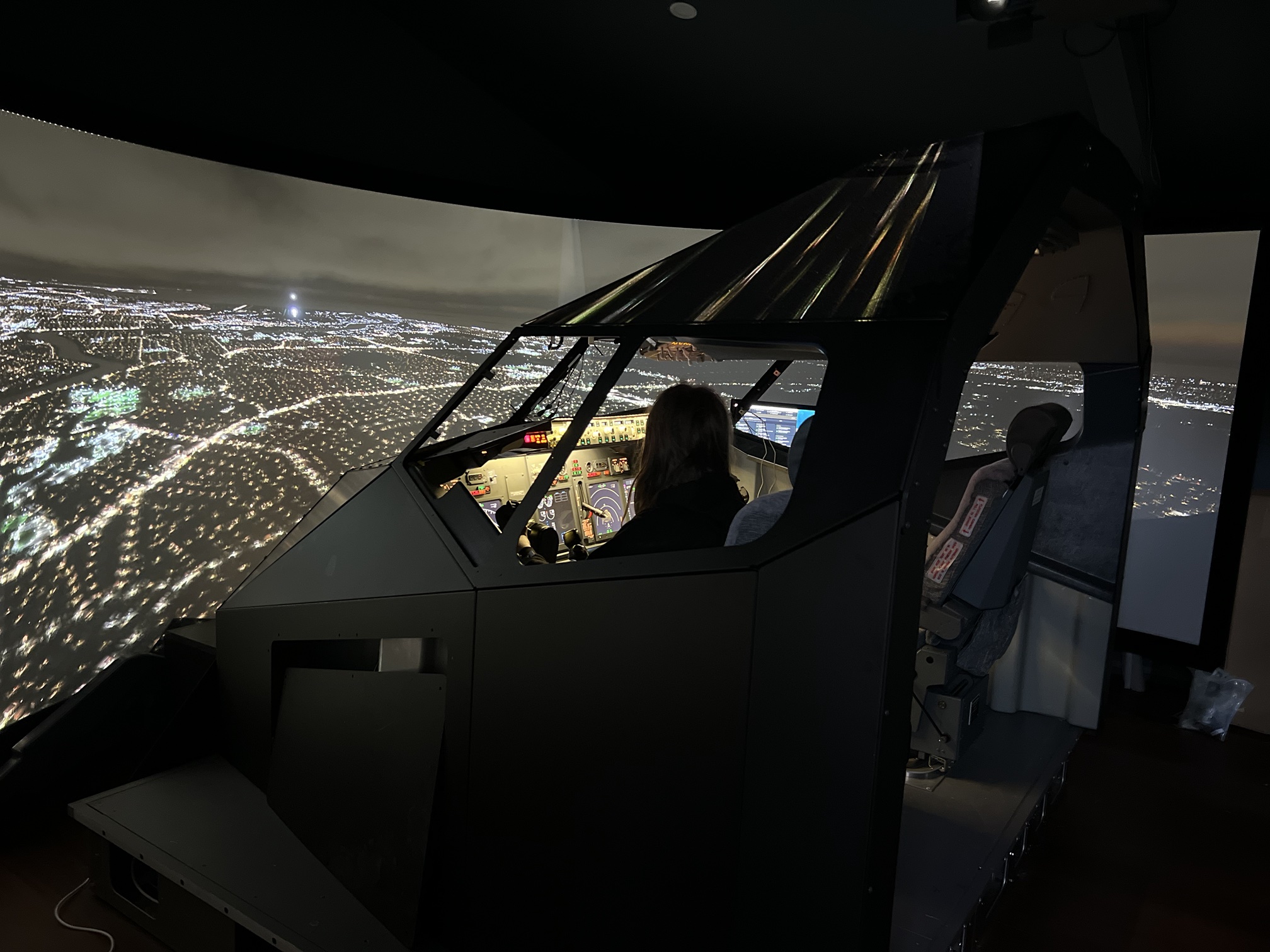
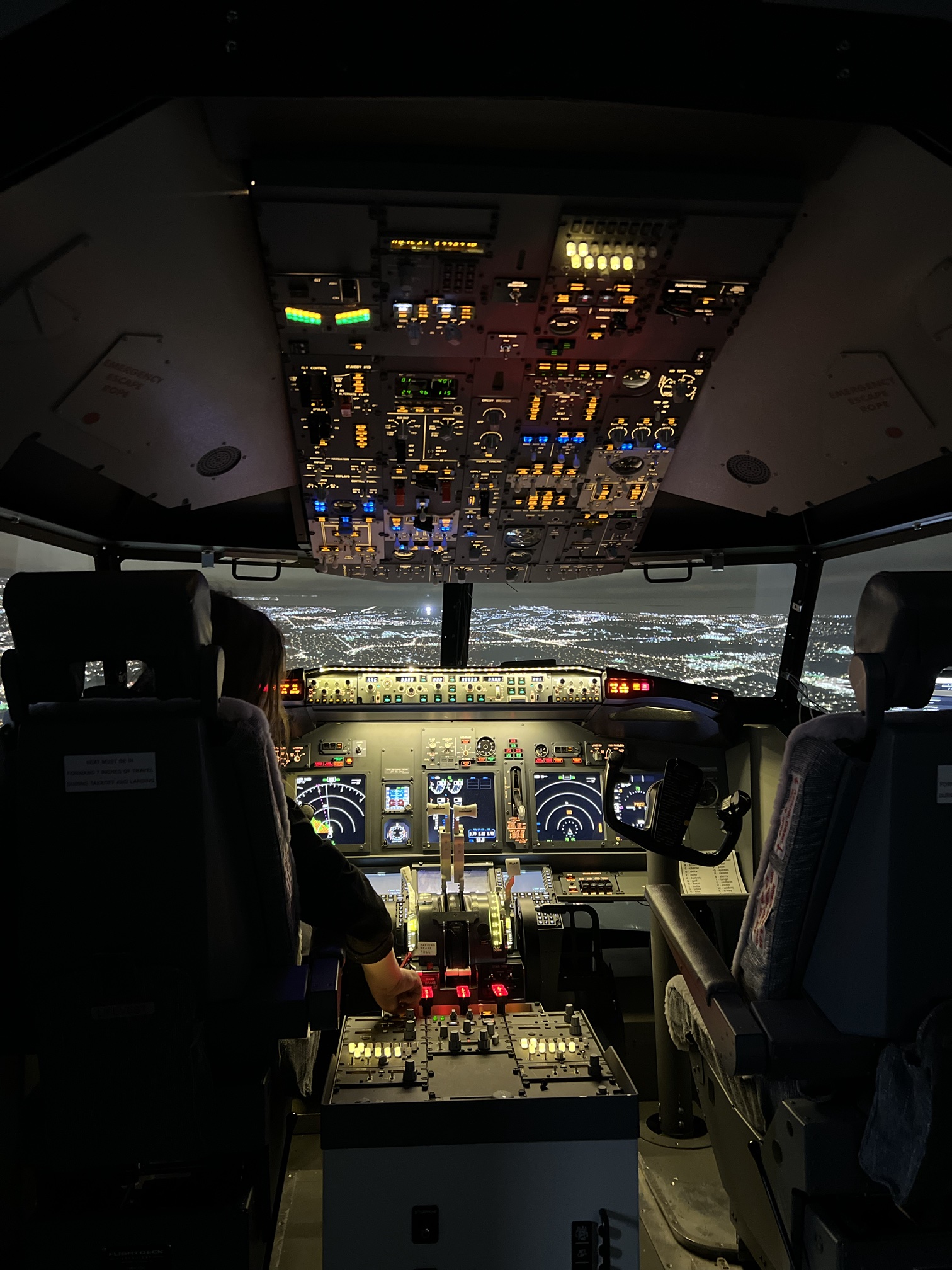
Boeing 737-800 home cockpit simulator with a three-projector wraparound screen at night
Full-size home simulator

Boeing 737-800
flight deck.

A full-scale cockpit with a real overhead, working pedestal and throttle quadrant, three-projector outside view and three networked PCs, running Microsoft Flight Simulator 2020 and ProSim737.
3projectors
5760 × 1080 outside view
3PCs
Main + two display slaves
314+
Overhead inputs tracked
1:1
Full-scale 737NG layout
The rig

A full flight deck inside a wraparound screen.

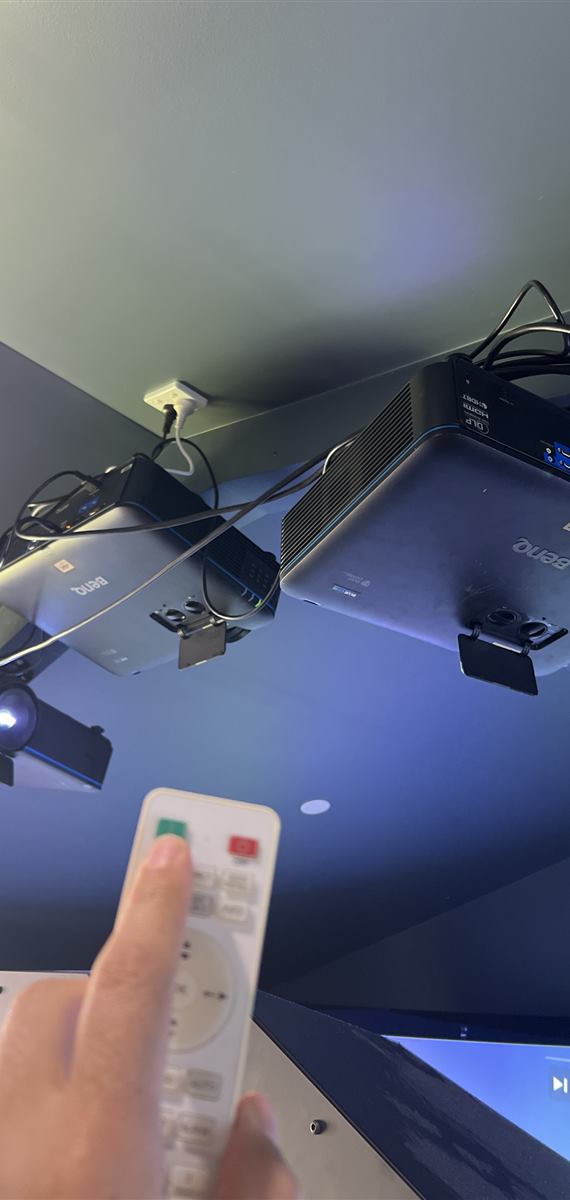
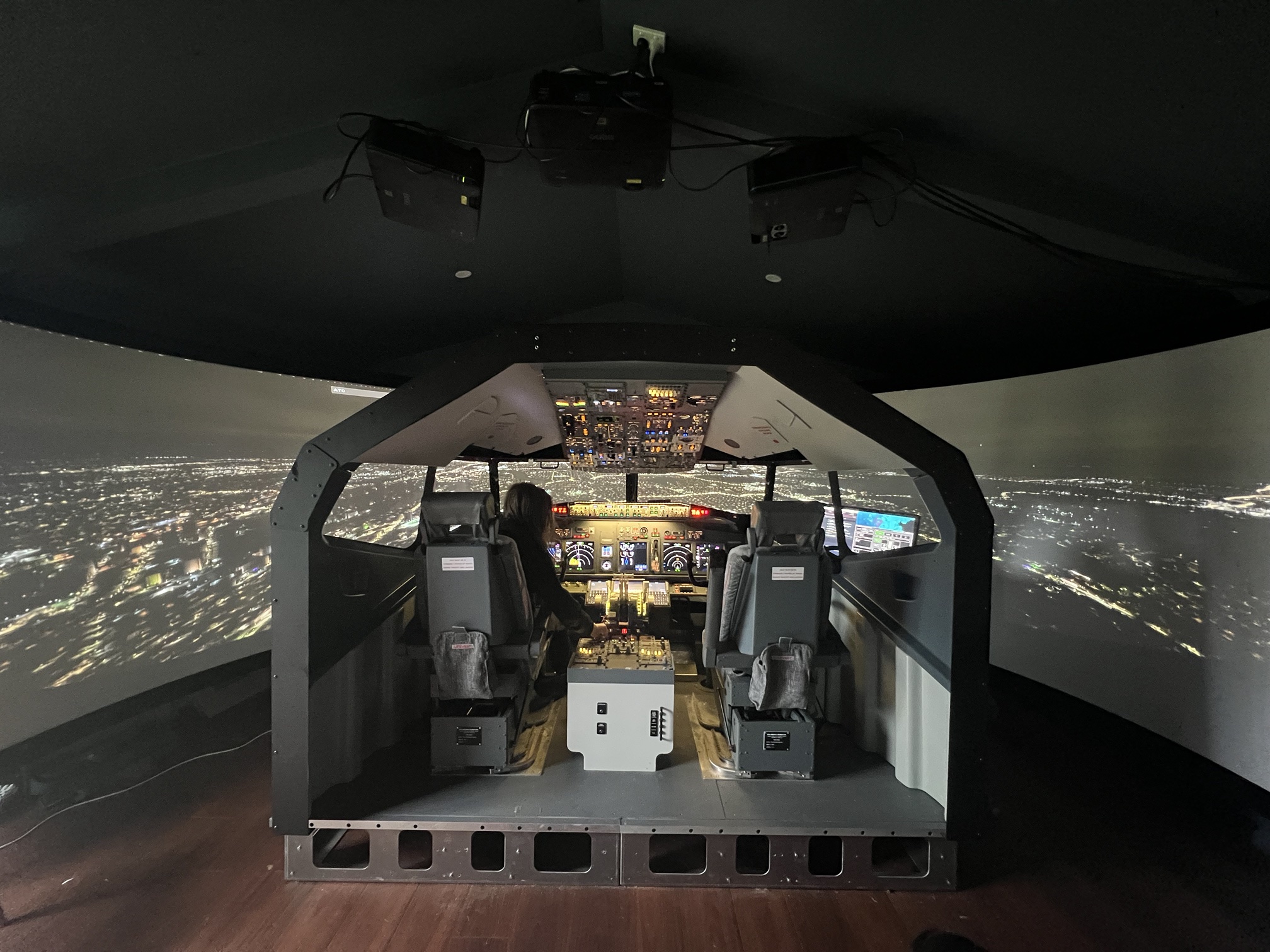
Three ceiling projectors paint a seamless, curved night-time view around a full-size 737 shell, with real seats, glass and framing, so the outside world sits exactly where it should.

Front view of the cockpit with three projectors on the ceilingThree projectors · one wraparound view
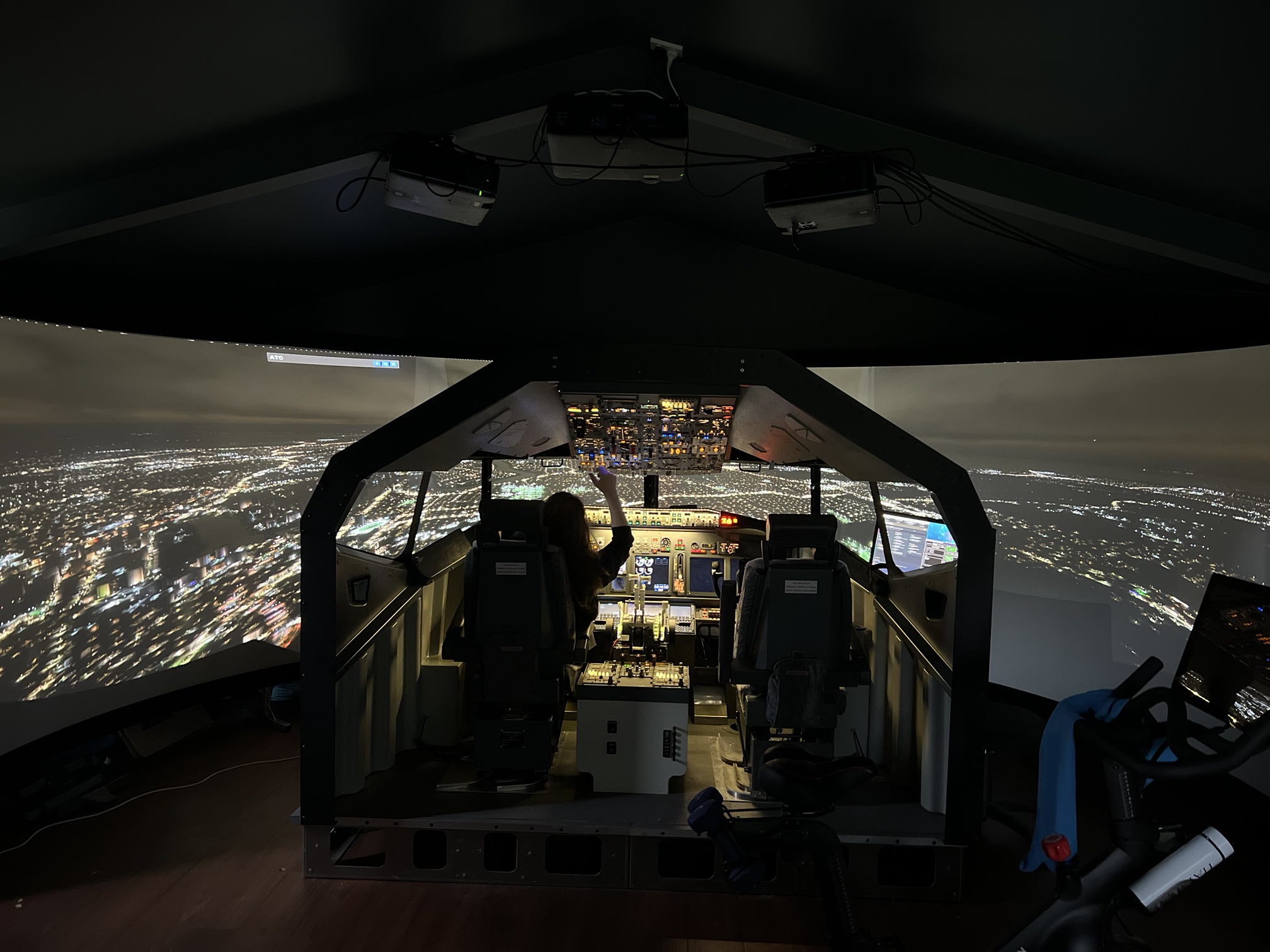
Flight deck at night from behind the seats, overhead and displays litNight flight

Built for night flying

Every panel is backlit and dimmable, so the overhead glows amber over a city-lights approach. Sit in either seat and the view runs from the side windows right round to the windscreen.

  • Backlit and dimmable overhead, glareshield and pedestal
  • Real flight-deck seats and cockpit shell
  • Curved screen blended from three projectors
Side view of the cockpit shell against the curved screenSide view
Cockpit and curved screen over a lit cityCurved screen
The cockpit

Every panel real, every switch live.

Walk in, sit down, and the layout is exactly what you would find on the line: overhead, glareshield, main panel, pedestal and aft aisle stand.

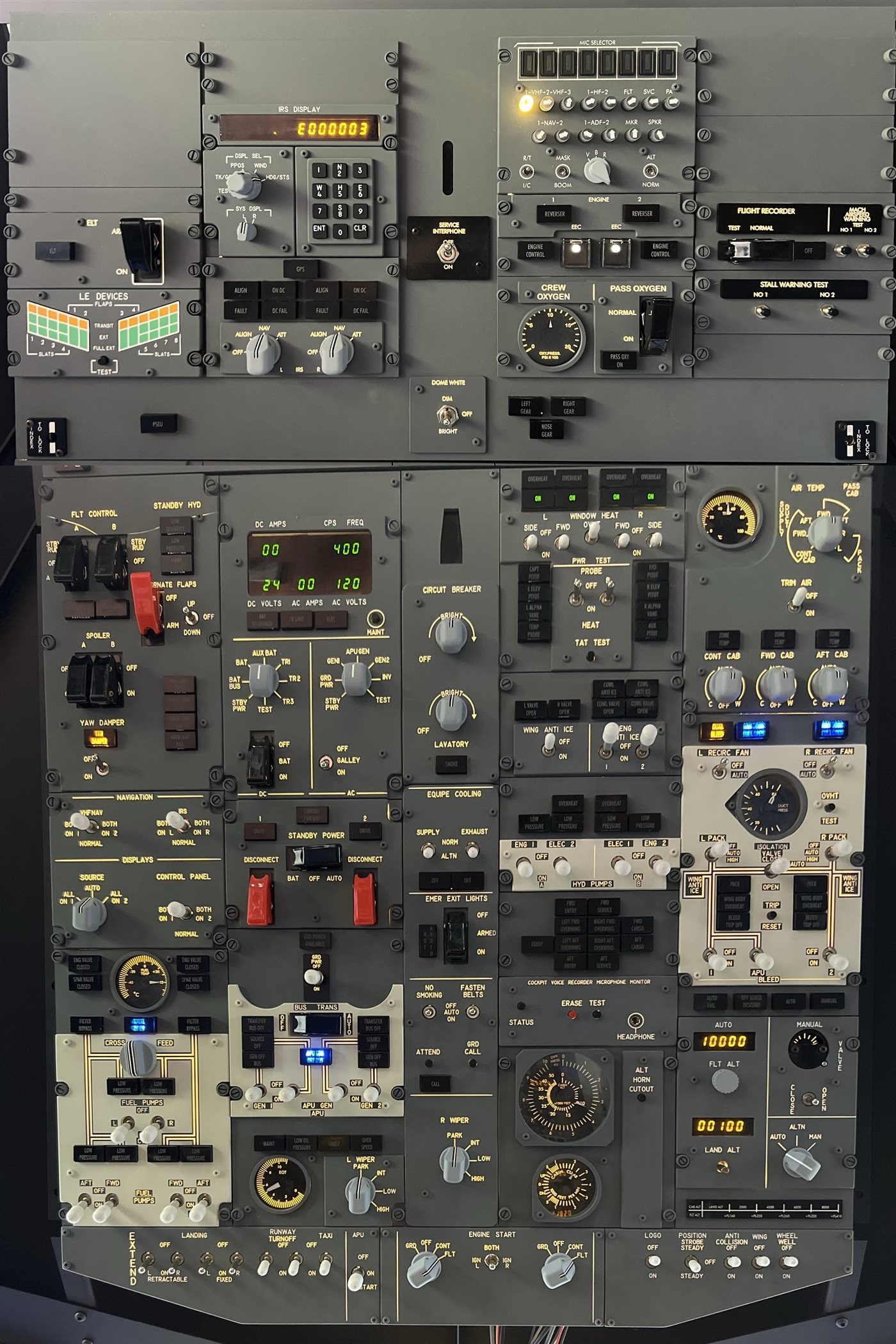
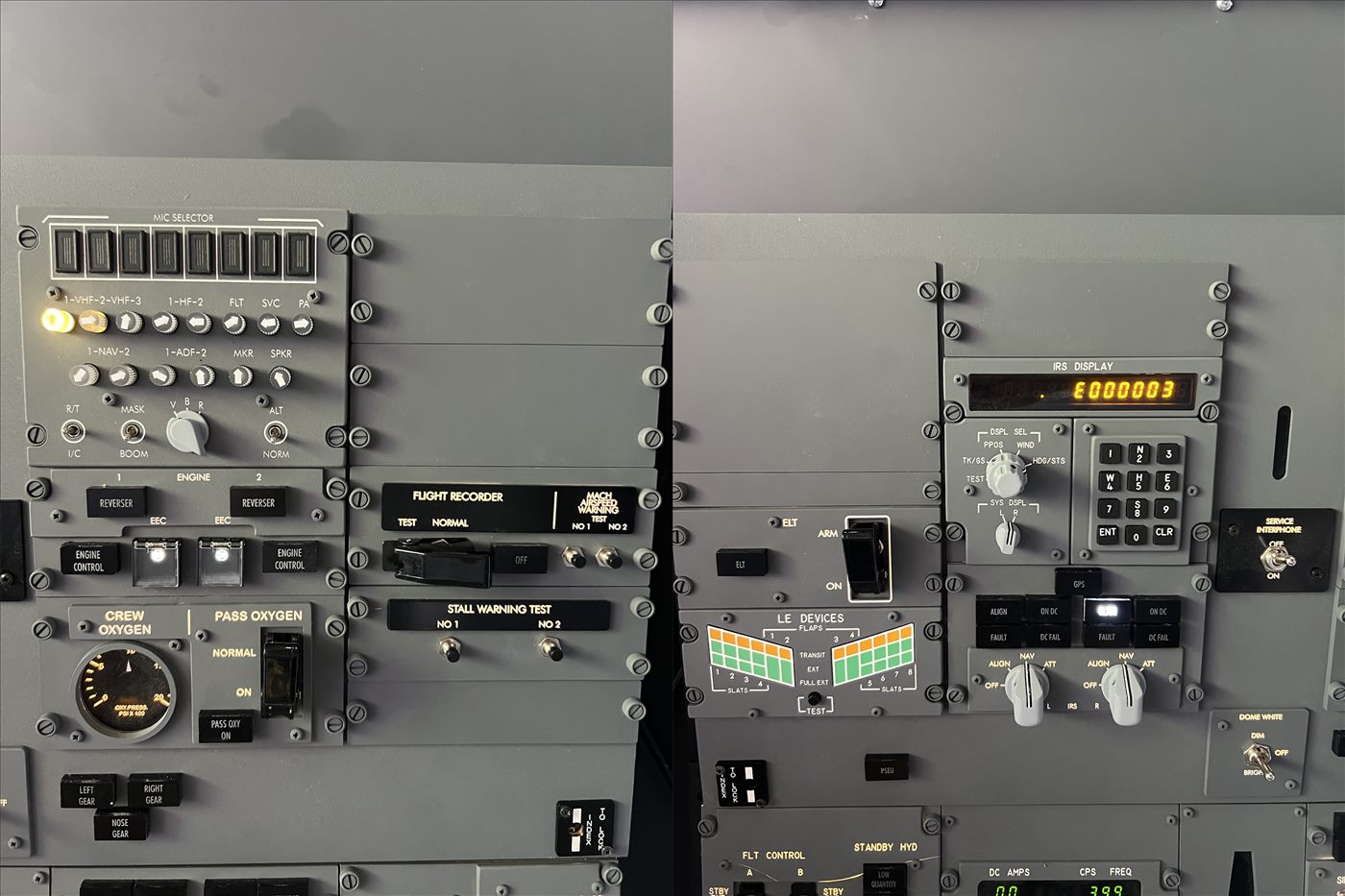
Full 737 overhead panelOverhead

The overhead panel

The complete overhead, from the IRS display and mic selector at the top to electrics, hydraulics, fuel, air conditioning, anti-ice, APU and engine start at the bottom.

  • IRS display unit with keypad and mode selectors
  • Electrical, standby power and AC/DC metering
  • Fuel pumps, cross-feed and bleed-air synoptics
  • Engine start, lighting and external-light switches
  • Working gauges: cabin altitude, duct pressure, EGT, fuel temperature
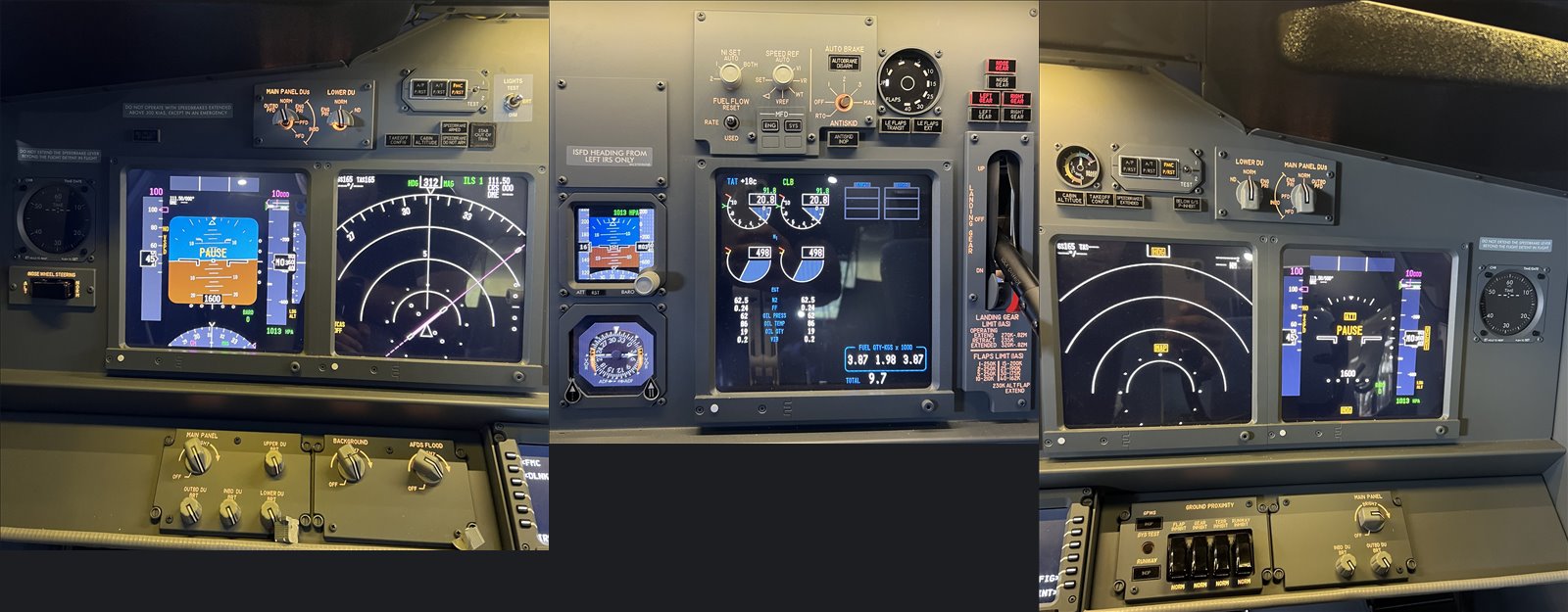
Main instrument panel with PFD, ND and engine displaysMain instrument panel
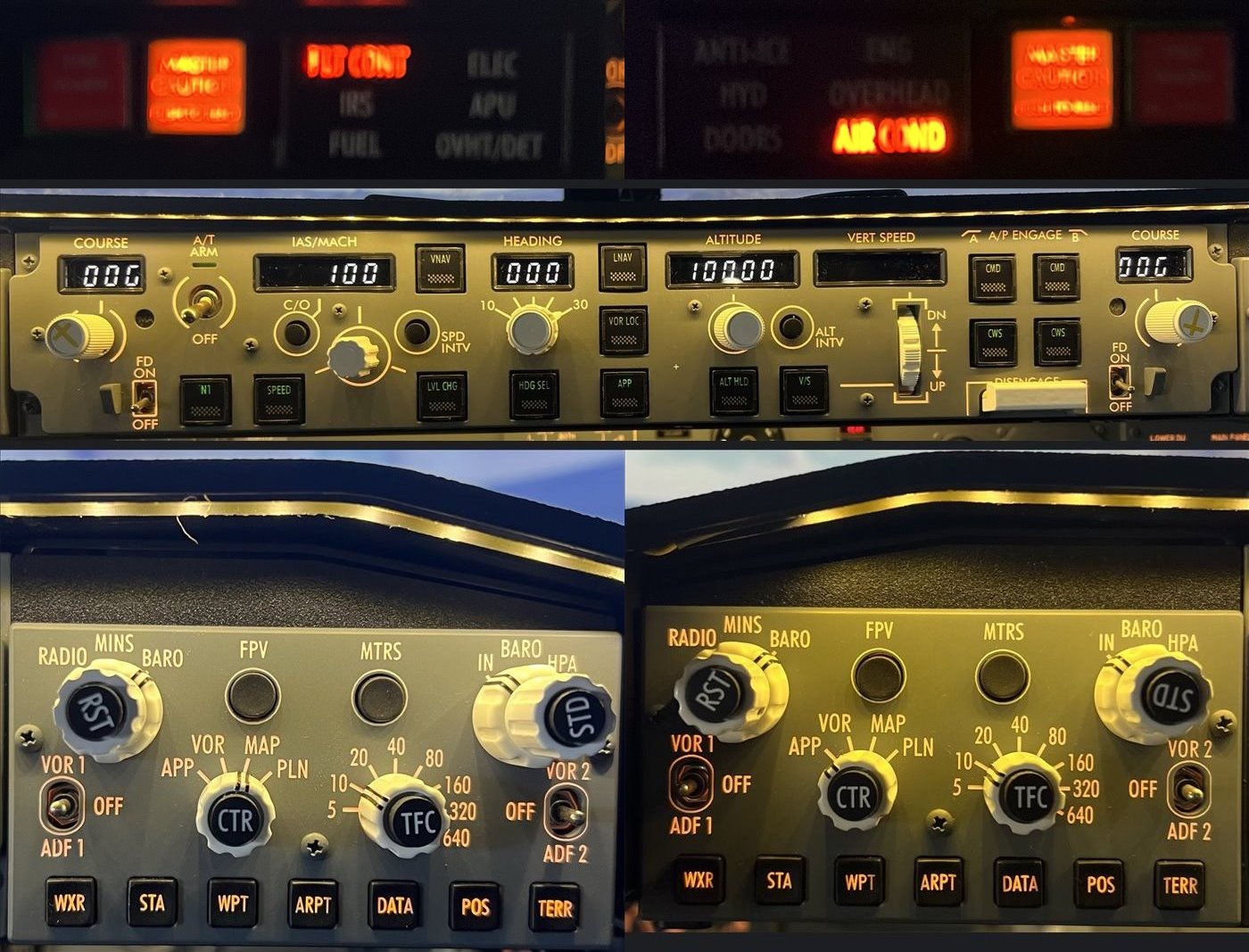
Mode control panel and EFIS control panelsMCP · EFIS · Warnings

Glareshield & flight displays

The mode control panel, both EFIS control panels and the master caution and system annunciator panels. Captain and first officer each have a full PFD and navigation display, with a centre engine display and standby instruments.

  • MCP with A/T, LNAV/VNAV, V/S, alt-hold and dual autopilot engage
  • Captain and F/O EFIS with baro, minimums and range controls
  • Fire, flight-control and air-conditioning warning lights
  • Backlit and dimmable throughout
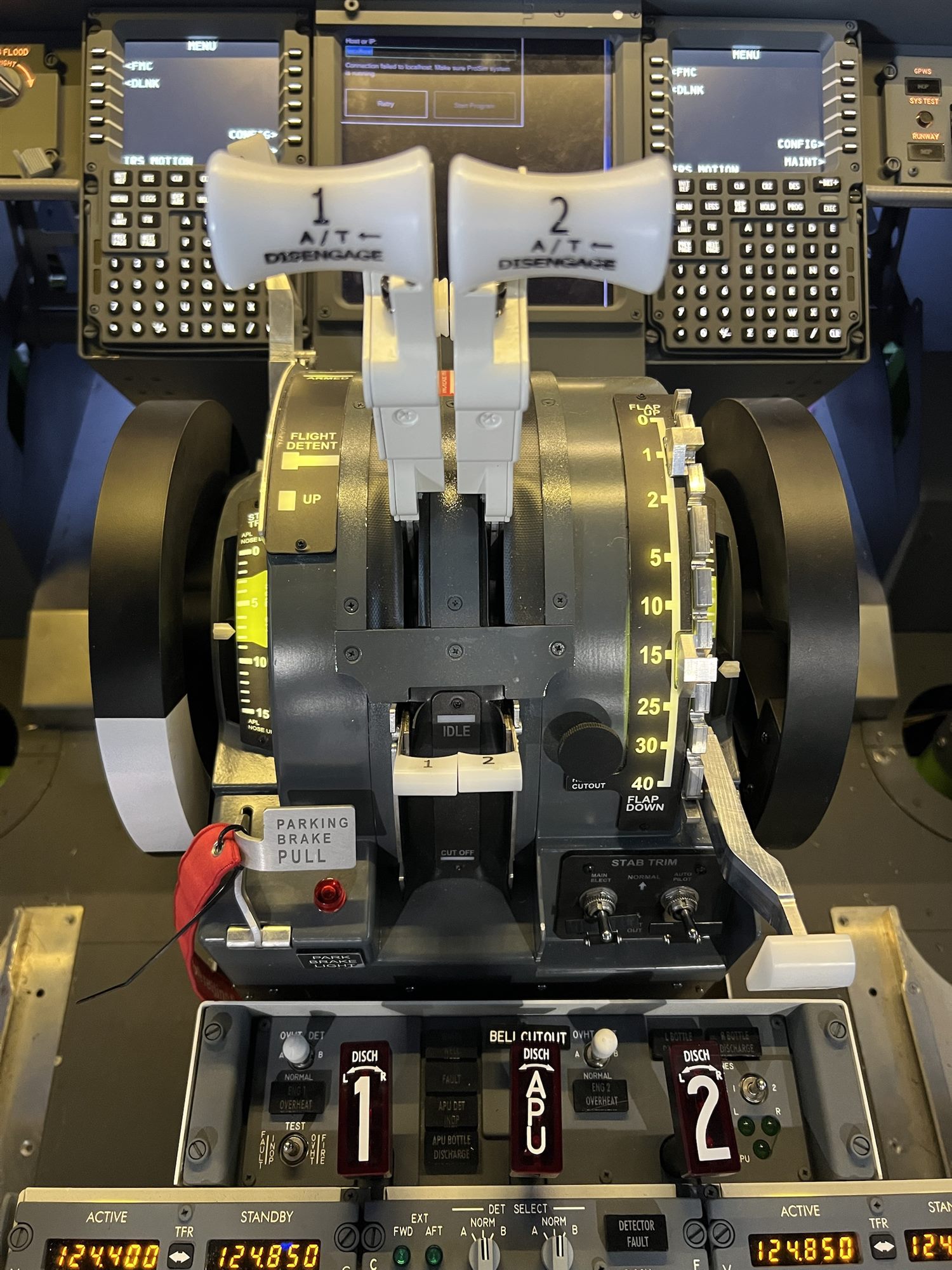
Throttle quadrant with flap lever, trim wheels and parking brakeThrottle quadrant

Throttle quadrant

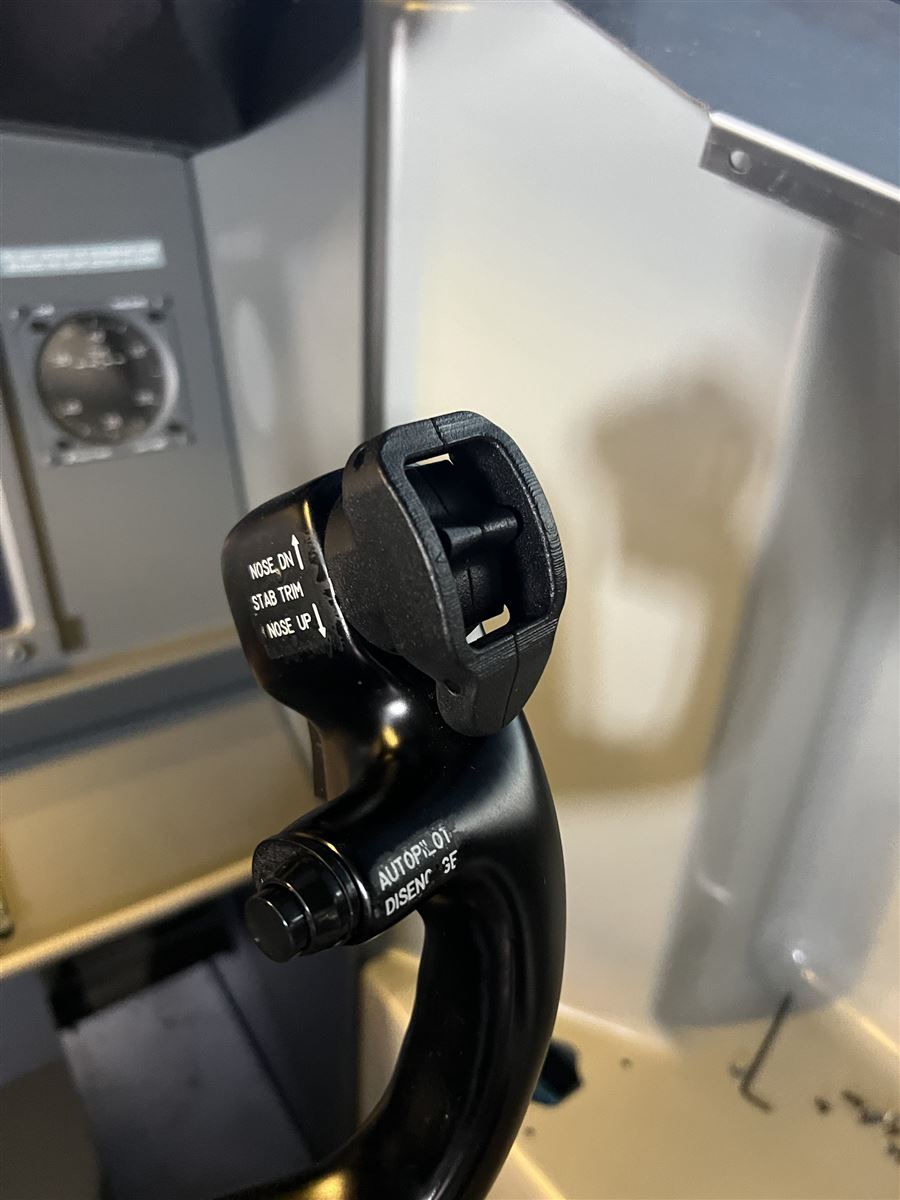
A full-size CockpitForYou quadrant with thrust levers and A/T disconnect switches, speed brake, reverse thrust, flap lever with the correct detent gate, fuel cut-off levers, stabiliser trim wheels with indicators and the parking-brake handle.

  • Twin thrust levers with A/T disconnect switches
  • Flap detents 0 · 1 · 2 · 5 · 10 · 15 · 25 · 30 · 40
  • Trim wheels with indicators and stab-trim cut-out switches
  • Parking brake with annunciator
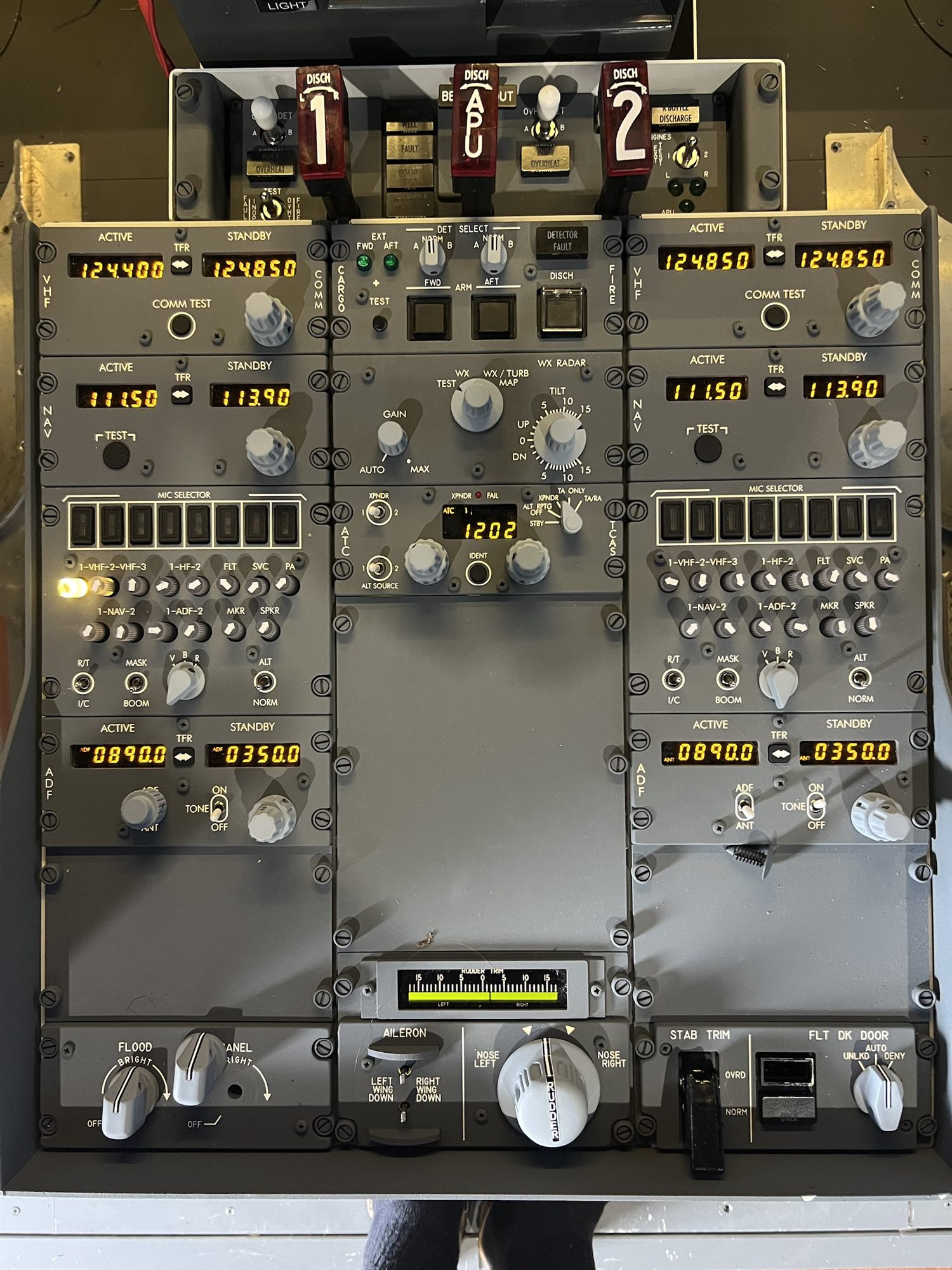
Aft pedestal with radios, fire panel, transponder and rudder trimAft pedestal

Pedestal & radios

Dual VHF, NAV and ADF radio panels, a mic selector for each pilot, weather radar, ATC/TCAS transponder, and the cargo fire and engine fire panel with real guarded discharge handles.

  • Dual VHF COMM, NAV and ADF panels with LED displays
  • Transponder with ident and TCAS mode selector
  • Engine 1, engine 2 and APU fire handles
  • Rudder and aileron trim, stab-trim override, flight-deck door lock
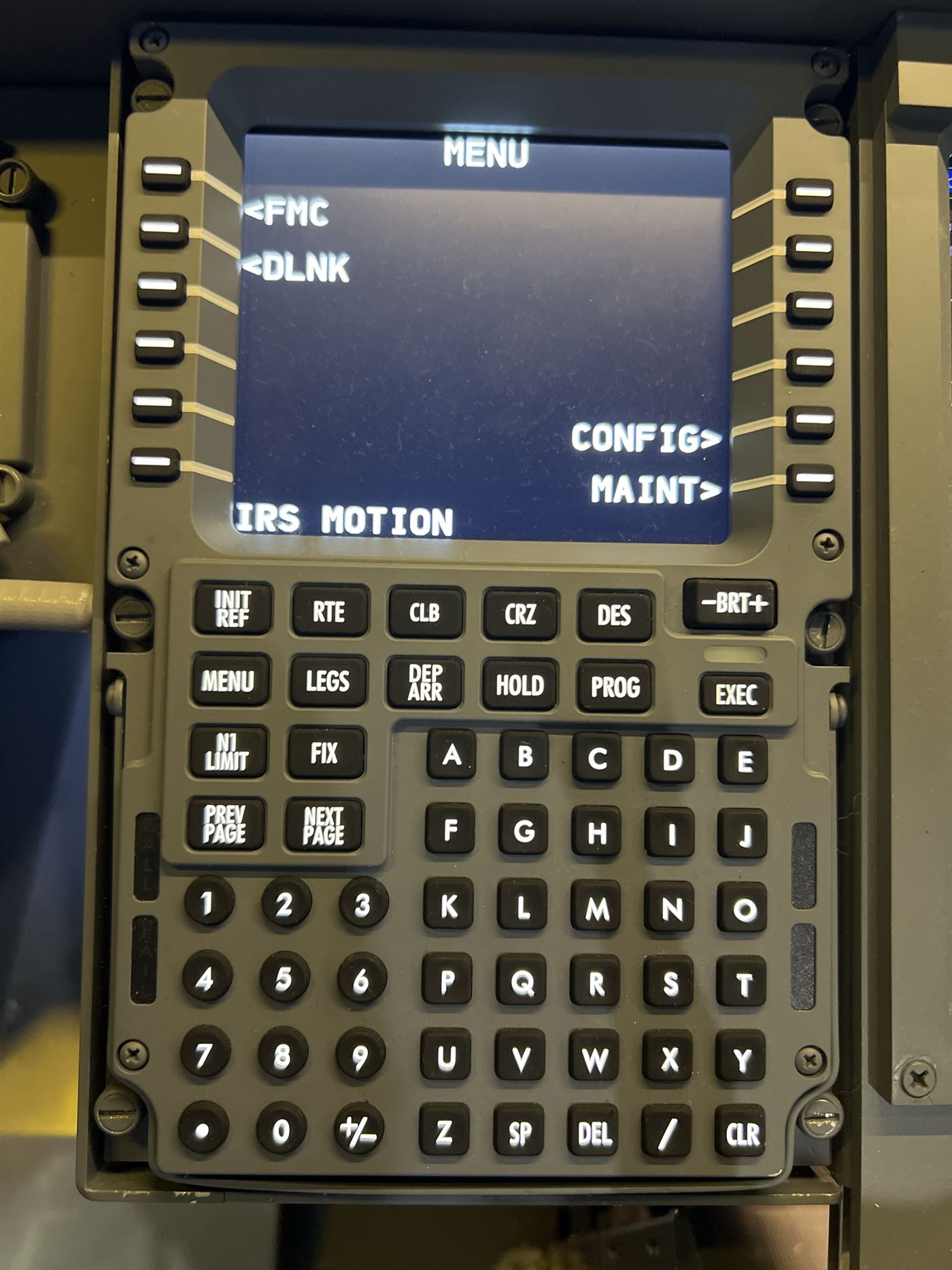
Control display unit running the FMC menuCDU / FMC

Twin CDUs

Captain and first officer each have a physical CDU with a real keypad and line-select keys, driving a live FMC with SIDs, STARs, approaches, performance and VNAV.

  • Two full alphanumeric keypads with illuminated keys
  • Six line-select keys per side, BRT control and EXEC annunciator
  • Display software runs on separate slave PCs
Specification

Everything under the hood.

Aircraft & software

TypeBoeing 737-800 (NG)
SimulatorMicrosoft Flight Simulator 2020
Systems & flight modelProSim737 (ProSimB738)
InterfaceFSUIPC7 + WideFS, SimConnect
Cockpit I/OSIOC (IOCards) and FDS interface boards
Navigation dataProSim database (AIRAC 2501 on the planner)

Visuals

Outside view3 × BenQ DLP projectors
Combined resolution5760 × 1080 (NVIDIA Surround)
Geometry & blendingCustom SimWarp warp and soft-edge blend
Instrument displaysCaptain and F/O PFD + ND, centre engine display, standby
Instructor stationProSim IOS on a portrait screen

Flight controls

YokesCaptain and F/O, trim and A/P disconnect
ThrottleCockpitForYou quadrant
TrimTrim wheels with live indicators
Rudder trim, aileronsPedestal knobs

Panels

OverheadFull panel incl. IRS, electrics, hydraulics, fuel, air, APU
GlareshieldMCP, 2 × EFIS, master caution, system annunciators
Main panelGear lever, autobrake, flap gauge, ISFD, MFD controls
Pedestal2 × VHF, 2 × NAV, 2 × ADF, mic selectors, WXR, ATC/TCAS
FireEngine 1, Engine 2 and APU handles, cargo fire
CDUs2 × physical CDU with FDS keypads

Computers

MAIN-SIMRyzen 9 3950X · 64 GB · RTX 4090
SLAVE-1Ryzen 9 3950X · 64 GB · RTX 2080 Ti
SLAVE-2Core i7-10700 · 32 GB · RTX 2080 SUPER
NetworkingWired LAN, WideFS over TCP
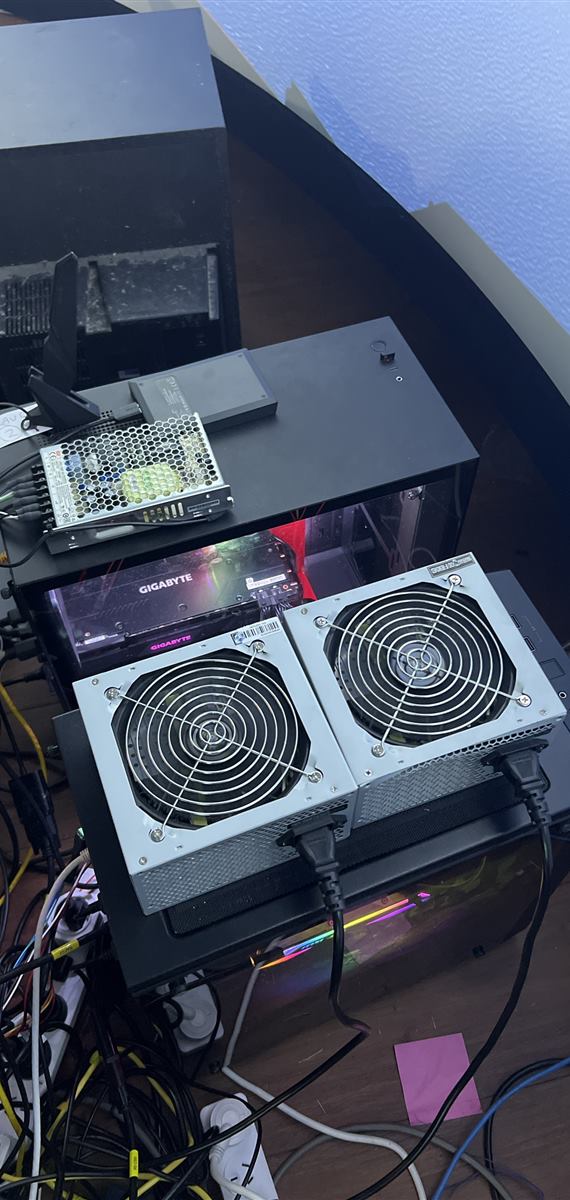
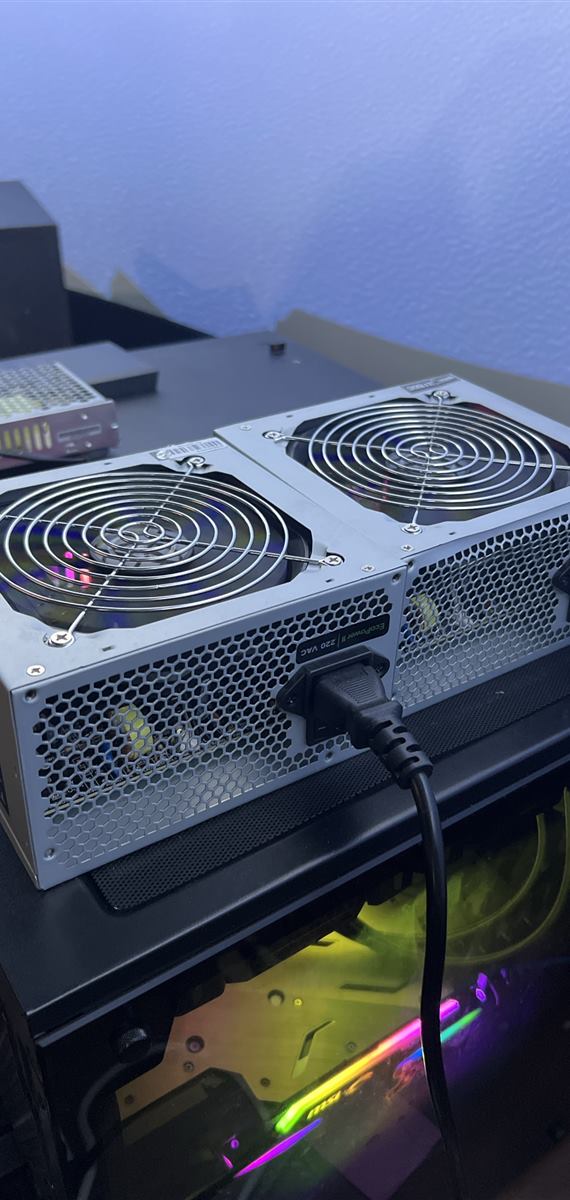
PowerDedicated power supplies for the cockpit hardware

Custom software

Launch controlOne-button start, health board, repair
AI first officerLocal voice assistant, push-to-talk
Hardware testerLive switch map for 900+ inputs
Flight plannerRoute, fuel and CDU entries step by step
AudioVoicemeeter mixer, headsets, VATSIM voice
Architecture

Three PCs, one aircraft.

The flight simulator and aircraft systems live on the main PC. Two slave machines drive the cockpit displays and CDUs, and a custom launcher starts and watches all three.

Main PC
MAIN-SIM

Runs Microsoft Flight Simulator, FSUIPC7, ProSim737, the SIOC cards for the overhead and pedestal, the throttle console, SimWarp for the projectors and the control dashboard. Three BenQ projectors form the outside view as one 5760 × 1080 surface.

Slave 1
SLAVE-1

Hardware Connector for switches and gauges, three cockpit displays, and the first officer's CDU.

Slave 2
SLAVE-2

Captain's displays, the captain's CDU and the instructor station on a portrait monitor.

Hardware
Cockpit interface

IOCards SIOC and FDS boards read every switch and drive every lamp, display and gauge.

Custom software

A sim that runs itself.

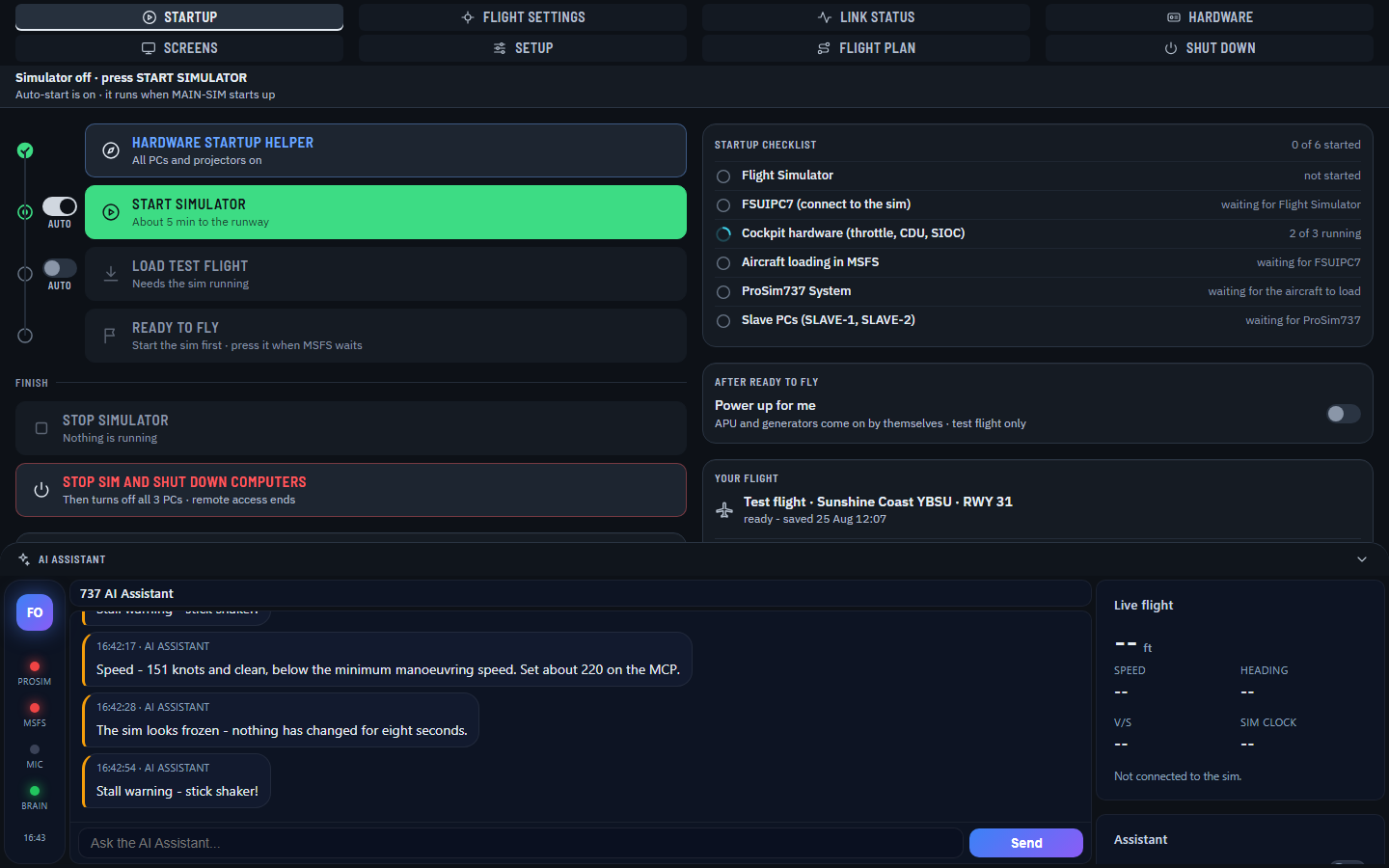
Starting a multi-PC simulator by hand is a long checklist. These tools, written for this cockpit, do it for you and show you what is happening.

Sim control dashboard

Control centre

One START SIMULATOR button brings up MSFS, FSUIPC, cockpit hardware, the aircraft and both slave PCs in order, shows a live checklist, and doubles as a repair button.

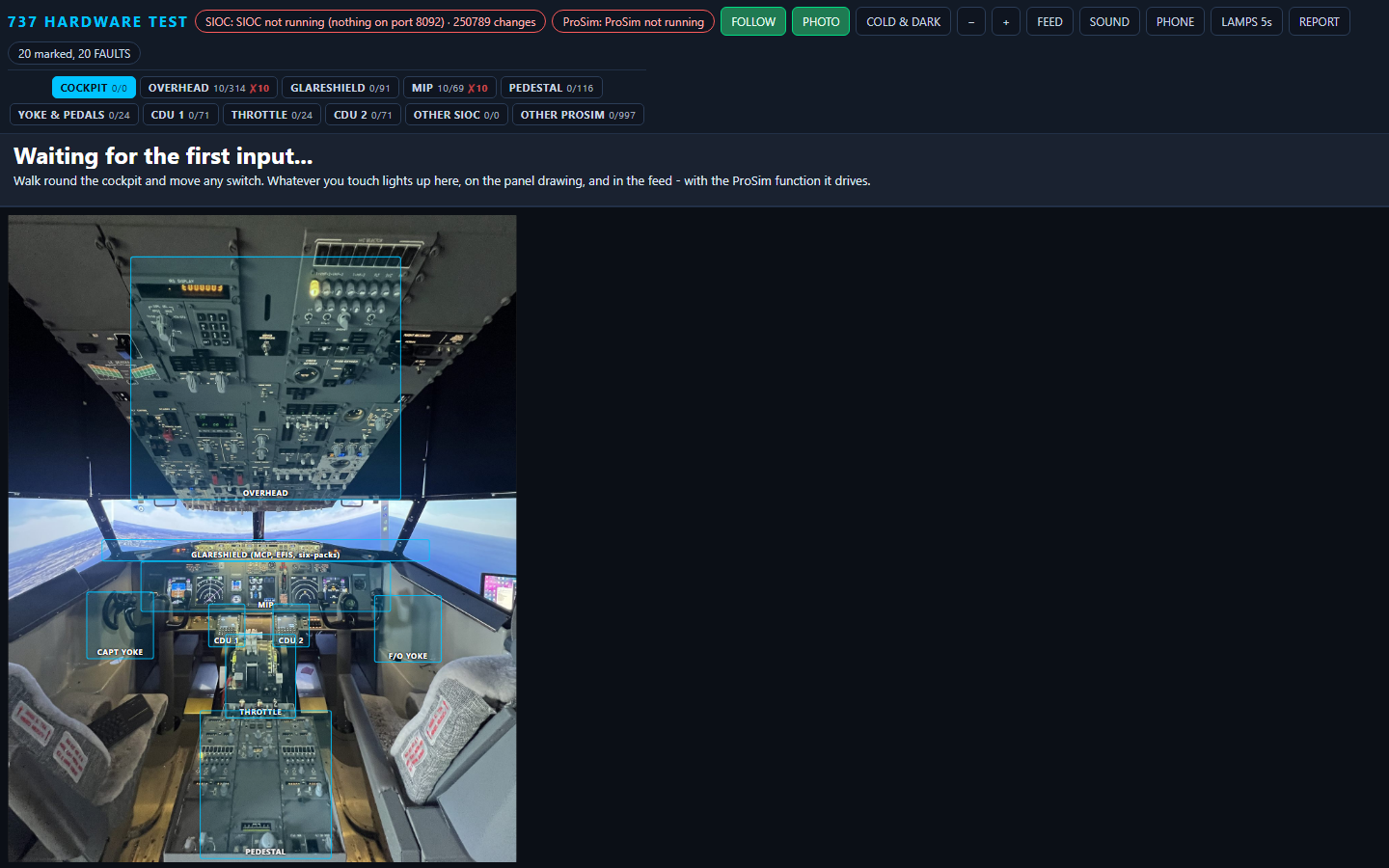
Hardware tester

Hardware tester

Touch any switch and it lights on a photo of the cockpit, with the ProSim function it drives. Find dead inputs in minutes.

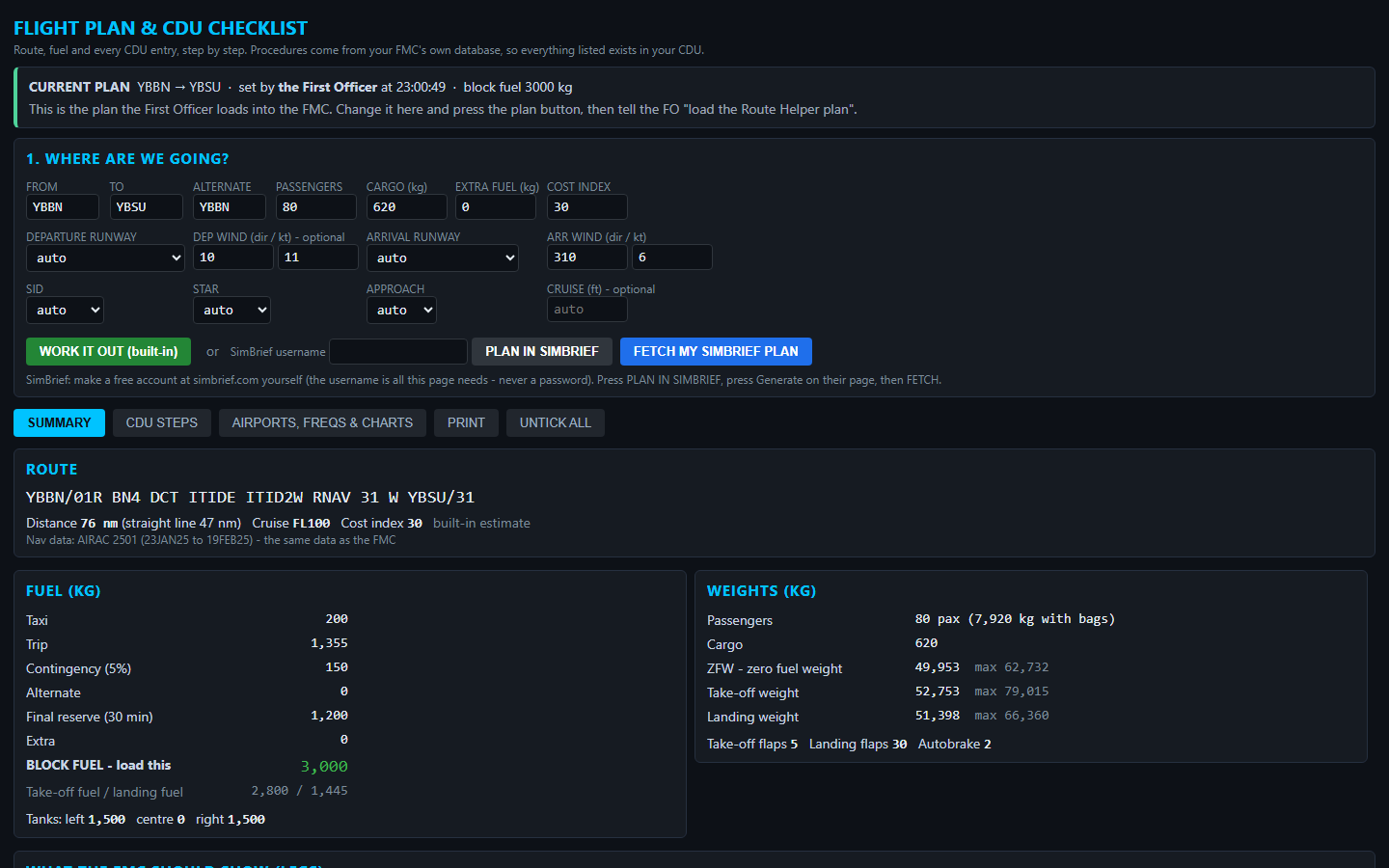
Flight planner and CDU checklist

Flight planner

Route, fuel, weights and every CDU entry, step by step, built from the FMC's own navigation database.

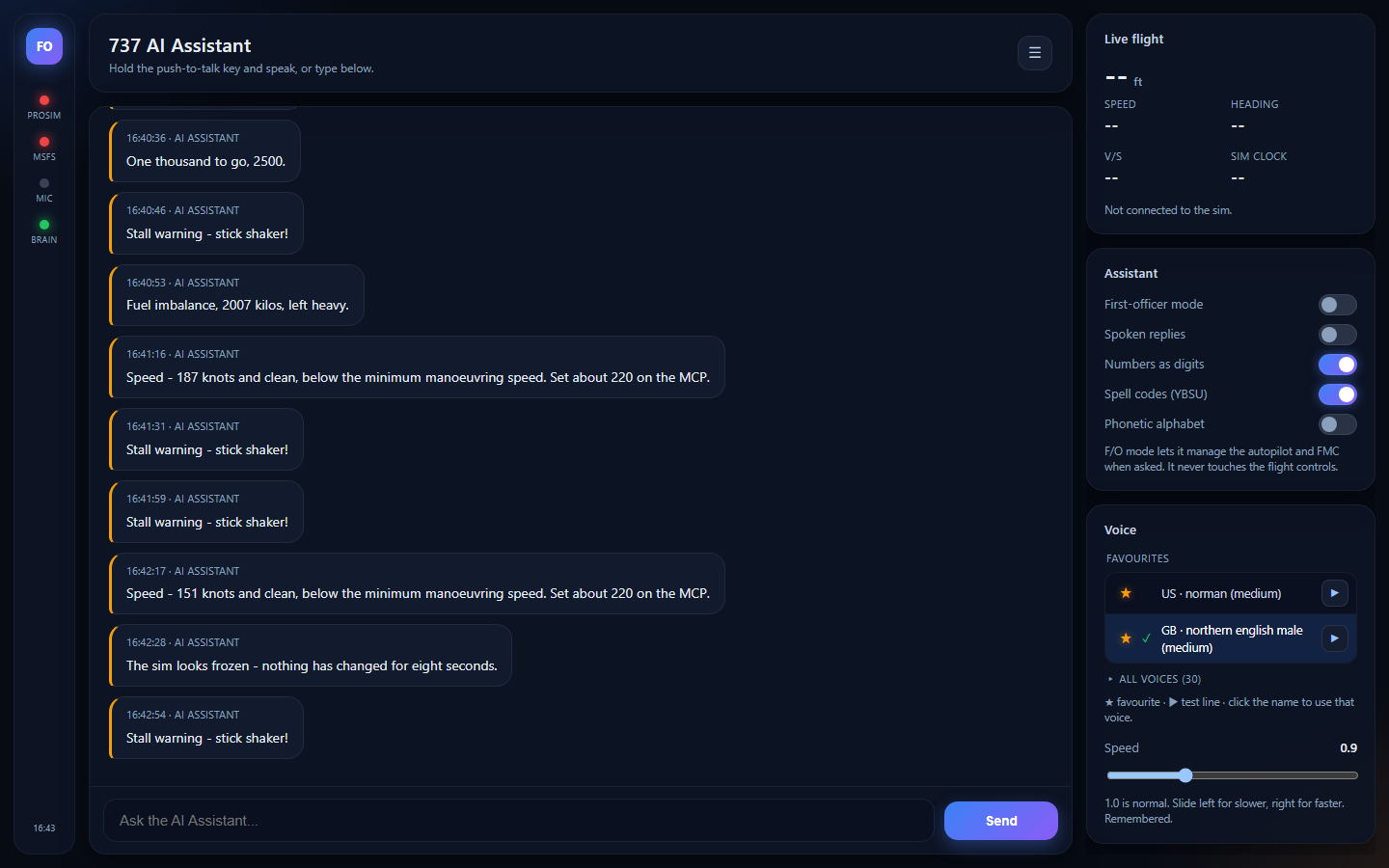
AI first officer

AI first officer

A voice assistant that calls out speeds, altitudes and warnings, watches fuel balance, and can manage the autopilot and FMC when asked. It never touches the flight controls.

Get in touch

Enquiries

Interested in buying, or have a question about the cockpit? Send a message and you'll get a reply by email.

Thanks, your enquiry has been sent. You'll get a reply by email.
Your details are only used to reply to your enquiry.